 Taxon
Import the firm's ledger
Bring in time and disbursements from Excel, CSV or text. Map the columns once and reuse the mapping. Imported work waits in a review queue until you place it.
Taxon is a Mac app for costs lawyers and draftsmen. Record or import the work, build the bill in parts, and export it in the form the court expects.

A unit is six minutes. Taxon works each line out as a bill prints it: time at the fee earner's rate, rounded to the penny, with VAT on the part total. Move the slider and watch the line change.
The rates here are examples. You set your own.
These are the real screens, showing an invented matter.
Time, disbursements and counsel's fees sit together. Type straight into the grid or import a ledger from the firm's system.
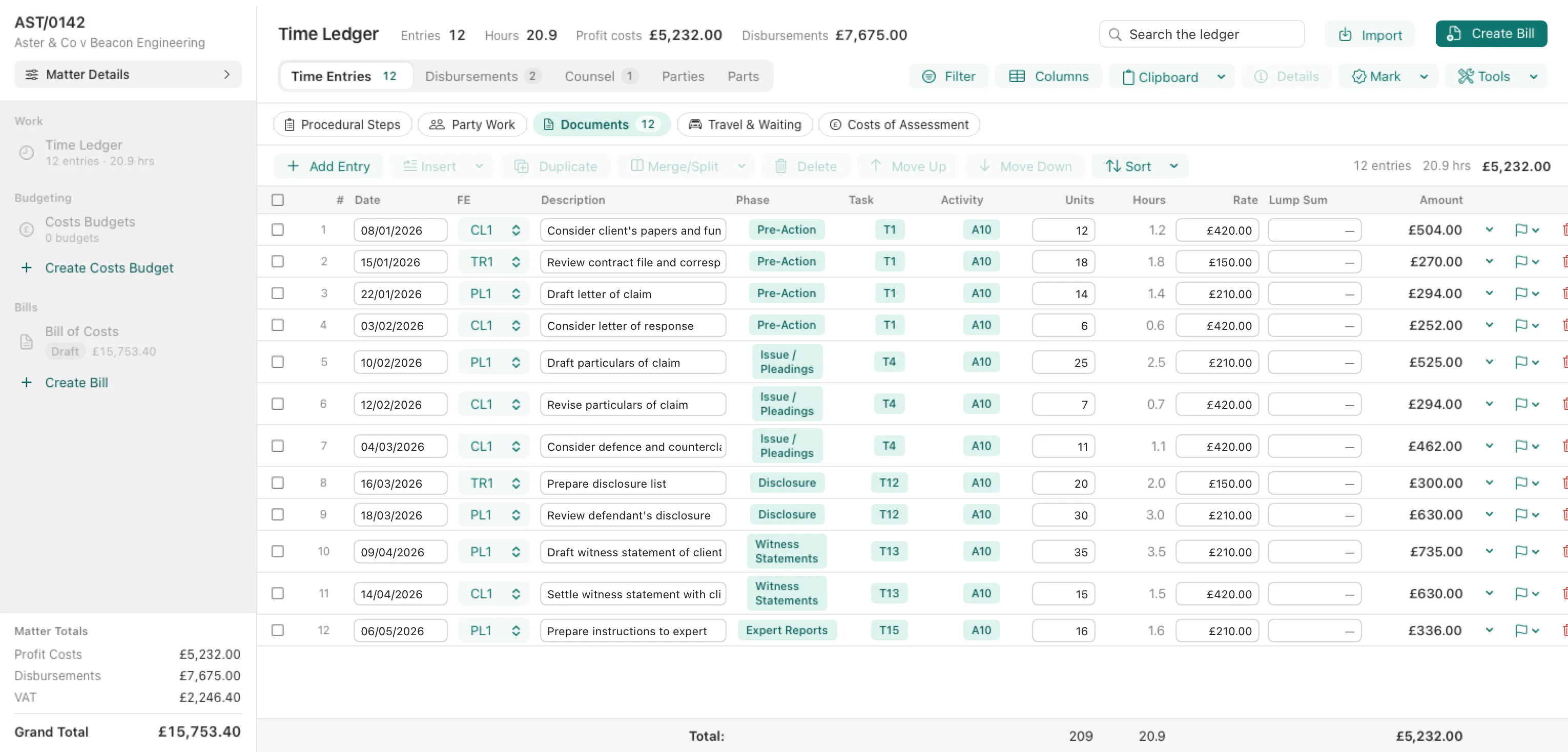
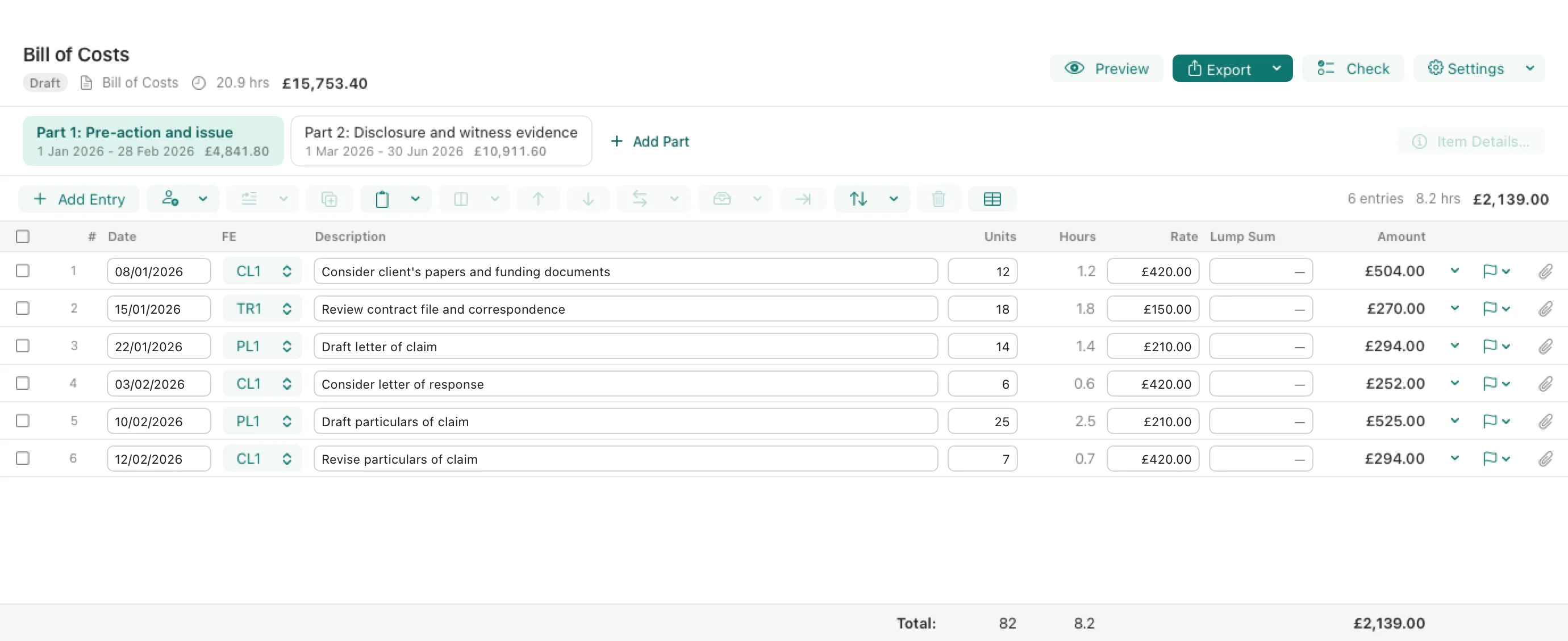
Create a bill from the ledger and Taxon divides the work into parts by date. Each part carries its own VAT rate and its own total.
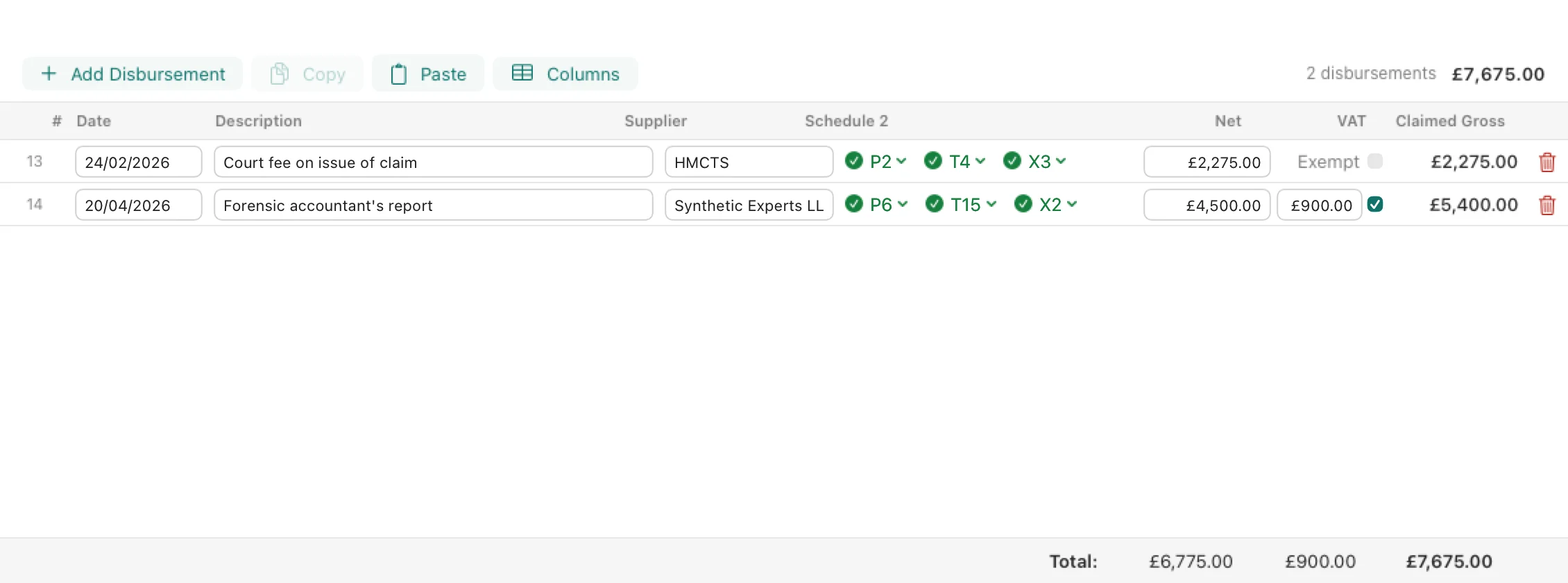
Record net and VAT as the invoice shows them. Court fees stay exempt. Experts and counsel carry the details the bill has to state.
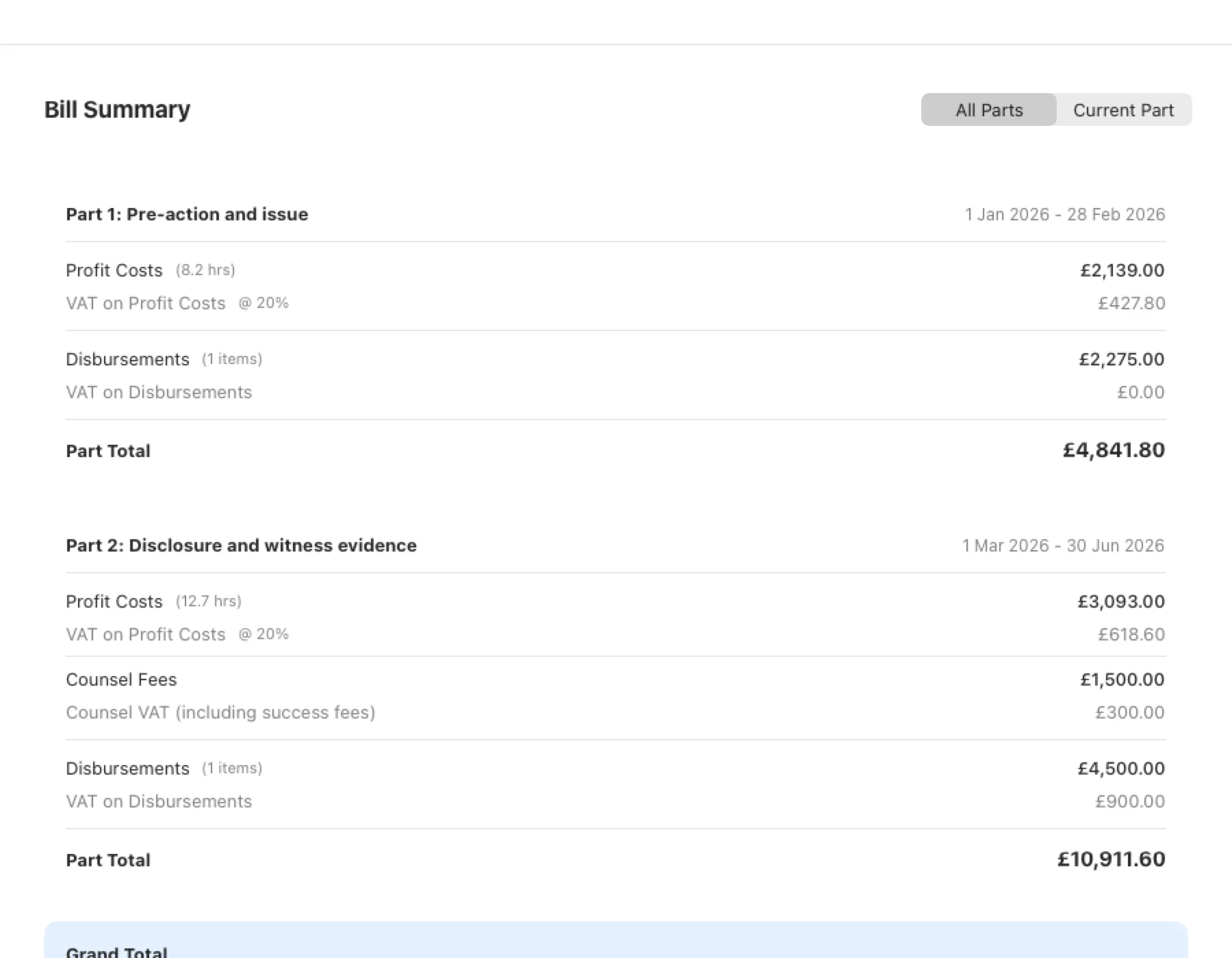
The summary shows each part as the bill will state it: profit costs, counsel, disbursements and the VAT on each.
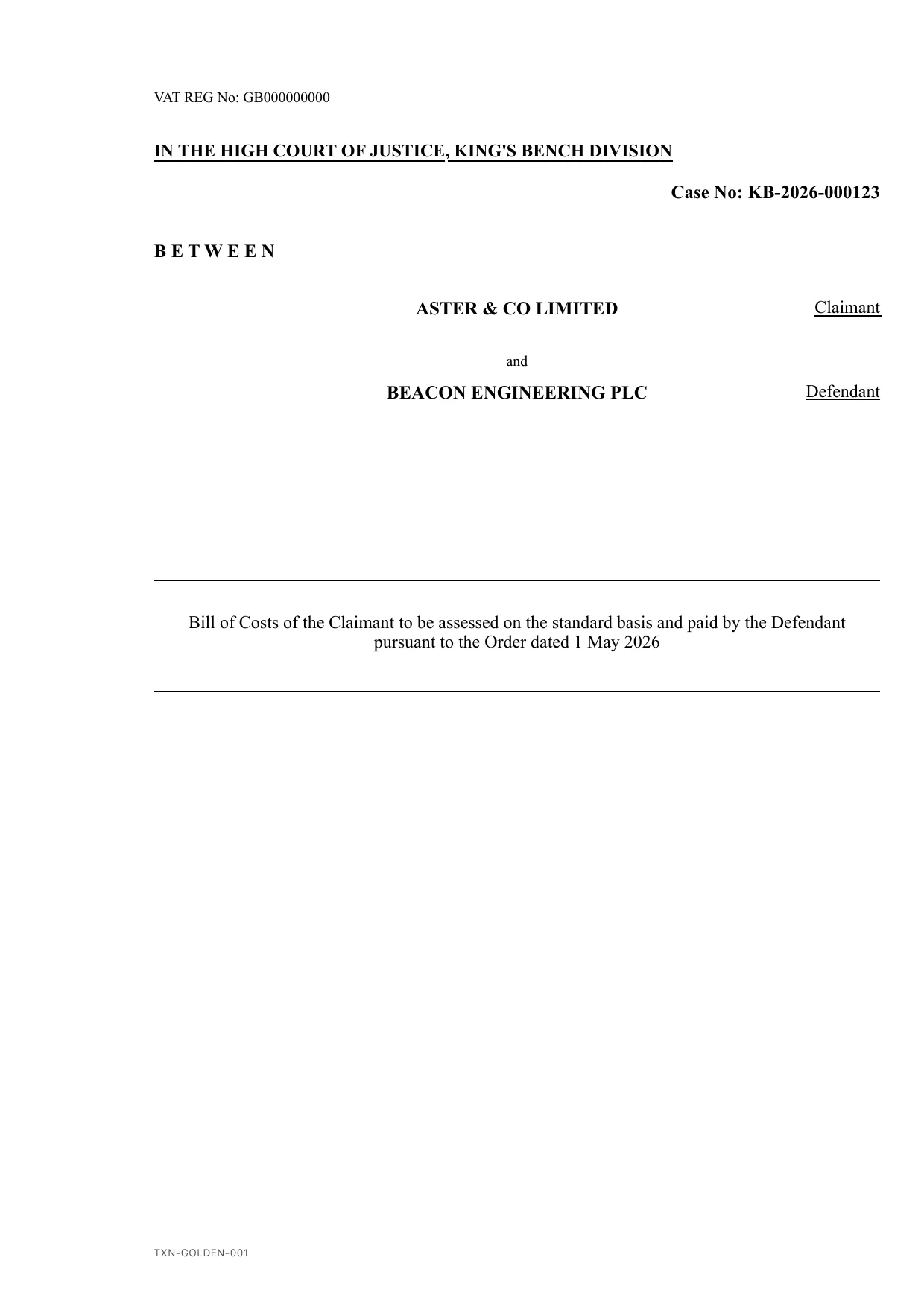
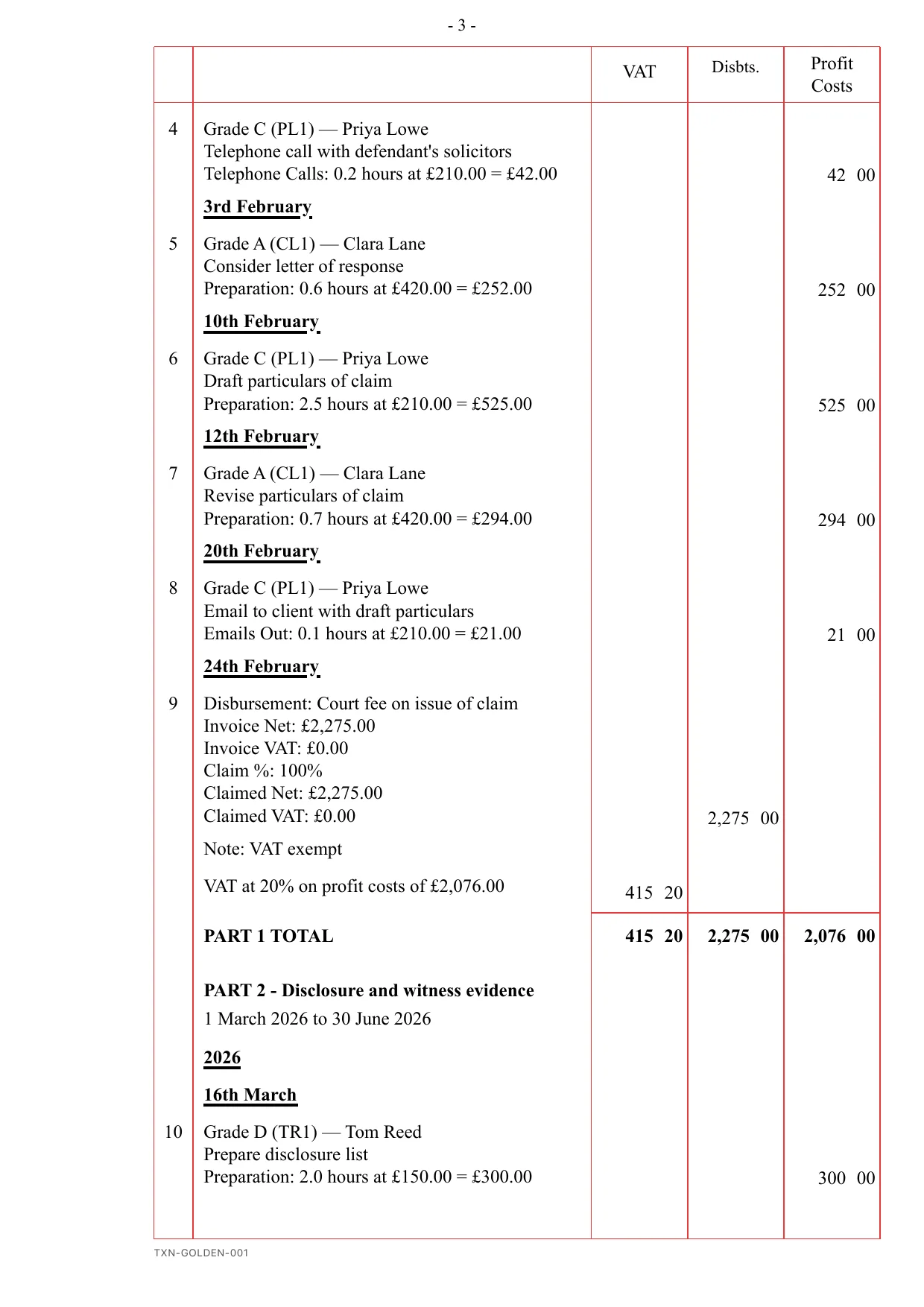
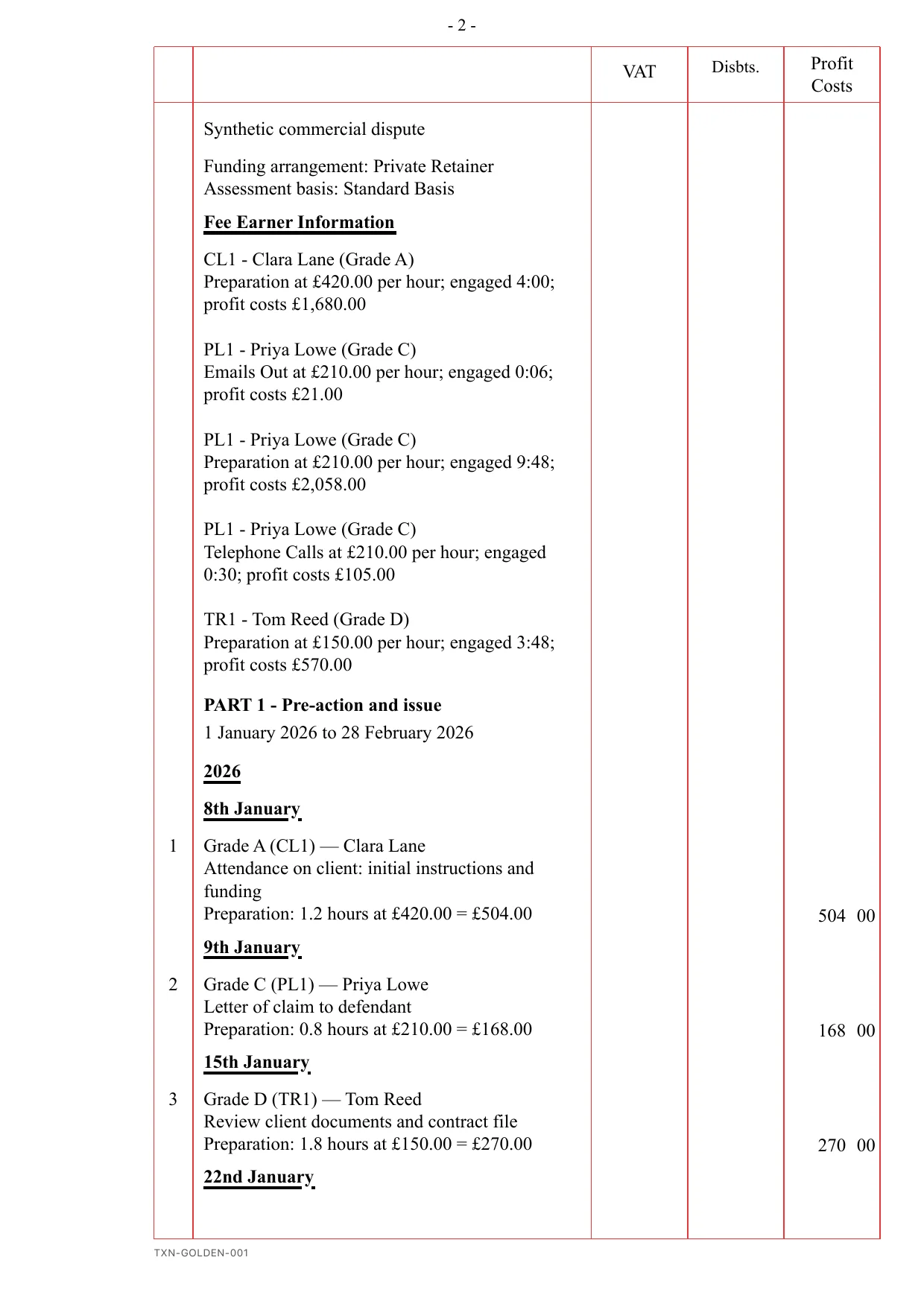
Pages from a bill Taxon produced for an invented matter.
One matter, entered once. Export what the stage of the case needs.
Taxon was written by a practising costs lawyer. It does the things a drafter does every day and gets out of the way.
Bring in time and disbursements from Excel, CSV or text. Map the columns once and reuse the mapping. Imported work waits in a review queue until you place it.
Every edit, import, merge and move can be undone and redone, in order. Try a change, look at the total, and take it back.
Phase, task, activity and expense codes from the Practice Direction 47 schedule, picked from a list or typed.
Taxon looks for the mistakes that get a bill sent back, and will not export one that does not add up.
Insert, duplicate, merge, split, sort and reorder. Choose the columns you want and save the layout. Find and replace across the matter.
The inspector shows principal and VAT for the matter, the bill or the part, and breaks the time down by fee earner, phase, task or activity.

Taxon is an app, not a website. A matter is a file you keep where you keep your other files.
Plus a one-off sign-up fee of £200 for each user. Buy seats for your firm, invite your people, and each of them downloads Taxon and signs in.
Costs lawyers, costs draftsmen and solicitors who prepare their own bills and budgets in England and Wales, and who work on a Mac.
No. Taxon is written for the Mac and uses the Mac's own menus, shortcuts, undo and file handling.
Yes, if the system can export a ledger to Excel, CSV or text. You tell Taxon which column is which, check the result in a review queue, and then place the work in the matter.
In the matter file, wherever you save it. Taxon never sends your matters anywhere. It contacts our server only to sign you in and to check that your seat is paid for.
You can still open, read and print every matter. You need a paid seat to create or change work and to export.
Choose how many seats you need and pay by card. You then invite each person by email. They accept the seat, download Taxon and sign in with Microsoft or an email and password.
Yes. Each seat works on one Mac at a time. You can move your seat yourself once every 30 days, and your firm's admin can move it at any time.
Taxon is made by Mackenzie Costs Limited and was written by a practising costs lawyer.